Markup, Markdown
Markdown is a lightweight markup language designed for creating formatted text using a simple, readable syntax. Without relying on word processors, it allows users to structure documents with headings, lists, links, code chunks, code blocks, and other elements. Primarily used for documentation, blogging, and technical writing, Markdown is widely supported across platforms, making it an efficient and versatile tool for writing content that can be easily converted into HTML, PDFs, or other formats.
Quarto
Quarto is a powerful, multi-language publishing system designed to be the next-generation evolution of R Markdown. Posit PBC acquired RStudio in November 2022 and introduced Quarto, an enhanced dynamic and reproducible document creation tool, without plans to deprecate R Markdown or R Notebook. This ensures that long-time users of R Markdown can continue using their existing workflows while benefiting from Quarto’s expanded capabilities. Quarto provides seamless support for multiple programming languages, including R, Python, Julia, and Observable JavaScript, making it a flexible solution for data scientists, researchers, and analysts across different platforms. With a strong emphasis on accessibility and ease of use, Quarto maintains an interface and command structure nearly identical to R Markdown, allowing users to transition smoothly.
One of Quarto’s most notable strengths is its diverse output formats, enabling users to create high-quality PDFs, interactive websites, presentations, dashboards, and web applications. Its enhanced publishing options make it well-suited for producing technical reports, academic papers, books, and scientific journals. Additionally, Quarto integrates well with modern tools like GitHub Pages and Decap (Netlify), streamlining the process of sharing results with a broader audience. With these improvements, Quarto represents a significant step forward in dynamic document generation. It offers greater flexibility, multi-language functionality, and a wider range of publishing capabilities while retaining the familiarity of R Markdown for existing users.
Create a Document
Creating a document in Quarto (.qmd file) involves a straightforward process that combines Markdown for text formatting, code chunks for computation, and YAML metadata for document configuration. To start, you first need to install Quarto on your system and ensure it is properly set up. Once installed, you can create a new .qmd file using any text editor, such as VS Code or RStudio. The .qmd file serves as a structured document where you can write formatted text, embed code, and generate outputs like HTML, PDF, or Word documents.
A Quarto document typically begins with a YAML header, enclosed by triple dashes (---). This header defines metadata such as the document’s title, author, format, and other settings. For example, a basic YAML header might look like this:
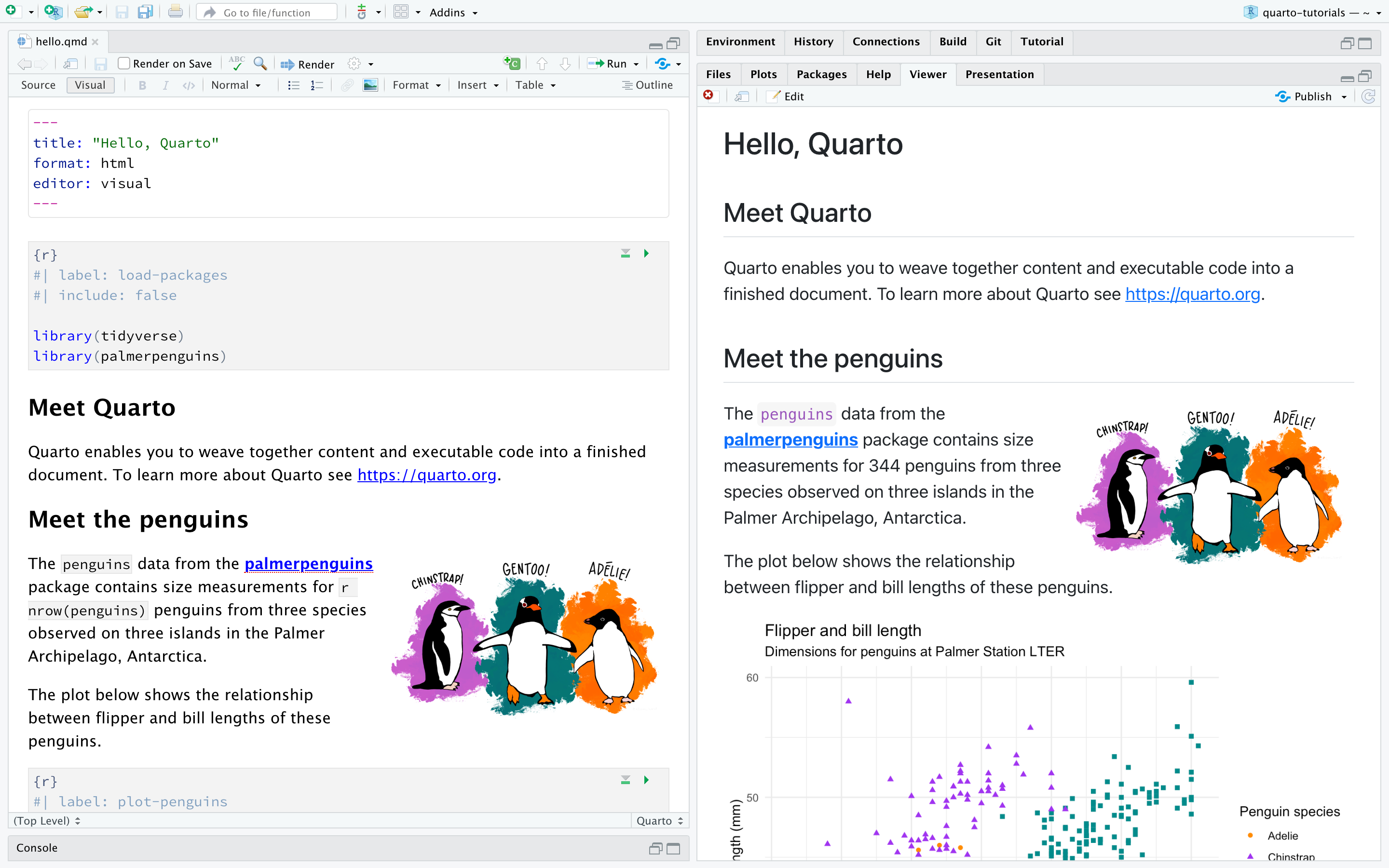
Below the YAML header, you can write content using Markdown syntax to structure headings, lists, tables, and inline formatting. You can also embed code chunks using languages like R or Python. Code chunks are enclosed within triple backticks (```) and specify the programming language used. For instance, an R code chunk that generates a plot might look like this:
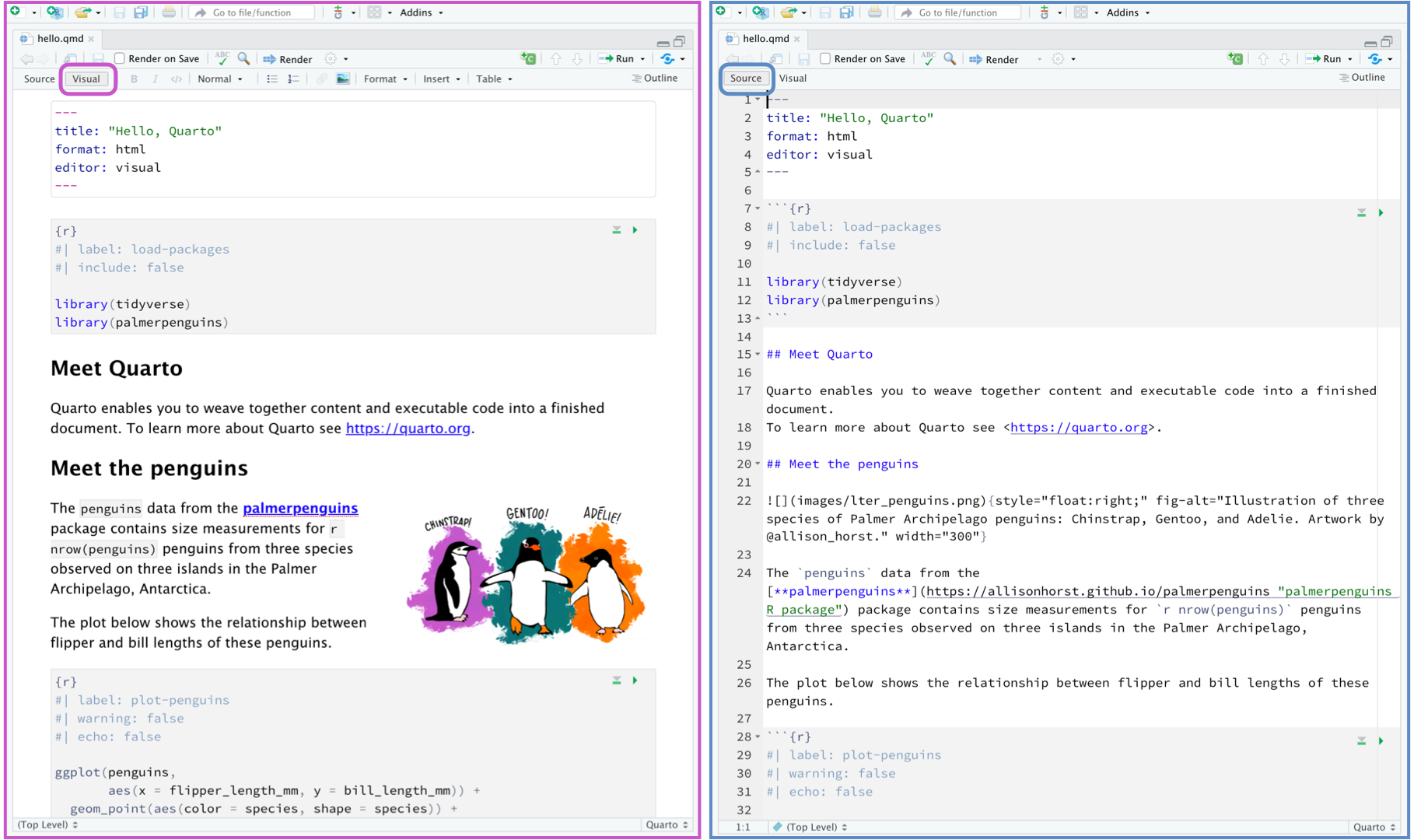
Format a Document
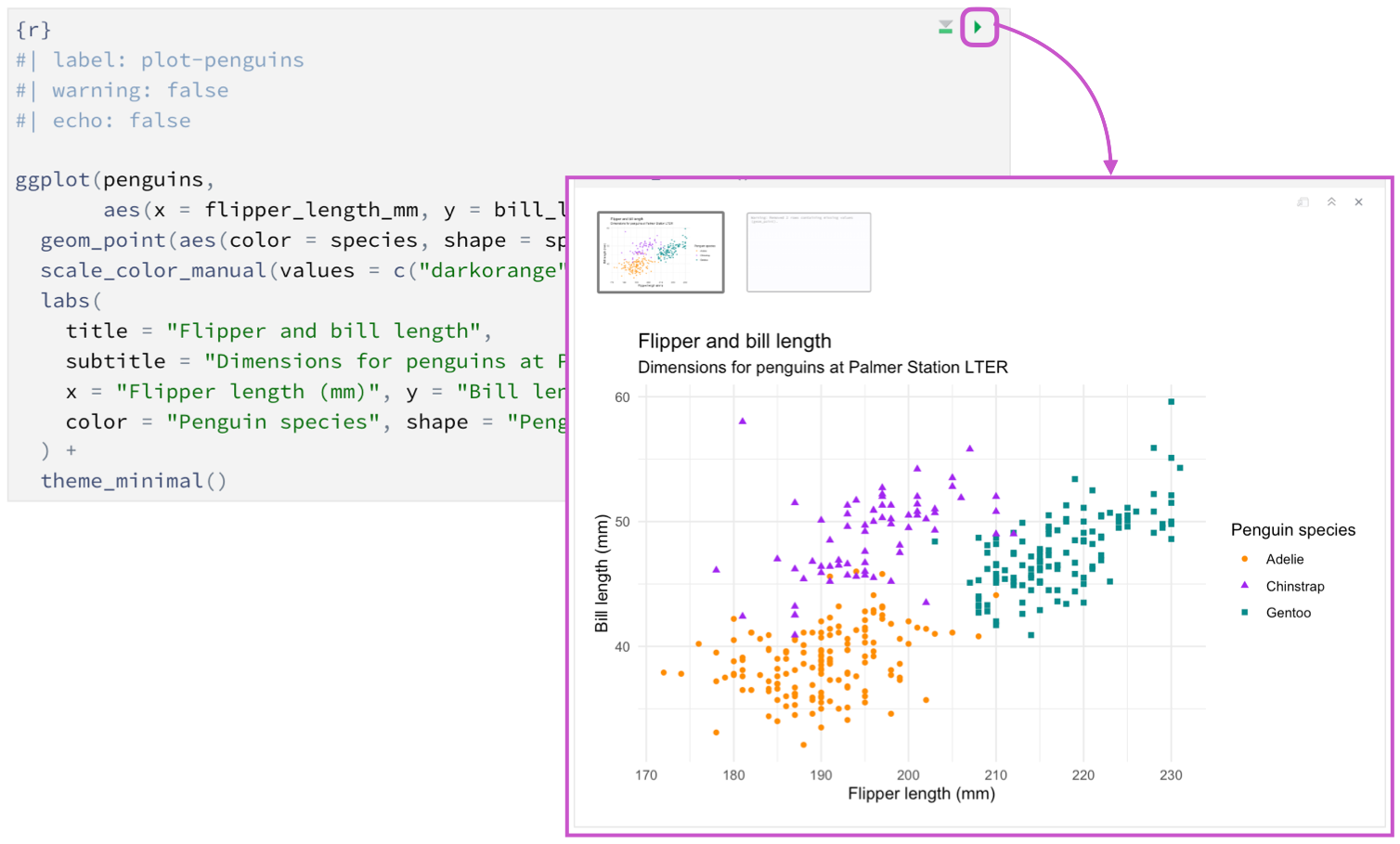
Quarto provides various output options for code chunks, allowing users to control how code and its results appear in the final document. These options are essential for tailoring the presentation of computational content, whether in reports, blogs, or interactive documents. The key settings for code chunk outputs are specified within chunk options, which are placed inside {} after the triple back-ticks (```) that define the code block. Users can modify these options to show or hide code, display only the results, format output styling, or manage figure properties.
One of the most commonly used options is echo, which controls whether the source code is displayed in the rendered output. Setting echo: false hides the code while still displaying the results, making it useful for polished reports where only the output matters. Conversely, eval determines whether the code is executed at all—when set to eval: false, the code appears in the document but does not run, useful for showing examples without executing them. Another key option, include, determines whether both the code and its results are included in the output; setting include: false ensures neither appear in the final document, useful for background computations.
For controlling how figures and tables appear, Quarto provides options like fig-width, fig-height, and fig-align, which adjust the size and alignment of plots. Additionally, message and warning options allow users to suppress or display messages and warnings generated by code execution. Quarto also supports output options tailored to specific formats, such as using code-fold: true to enable collapsible code sections in HTML documents, enhancing readability for interactive reports. By leveraging these output settings, users can fine-tune the presentation of their computational content, ensuring clarity and relevance in their Quarto documents.
Render a Document


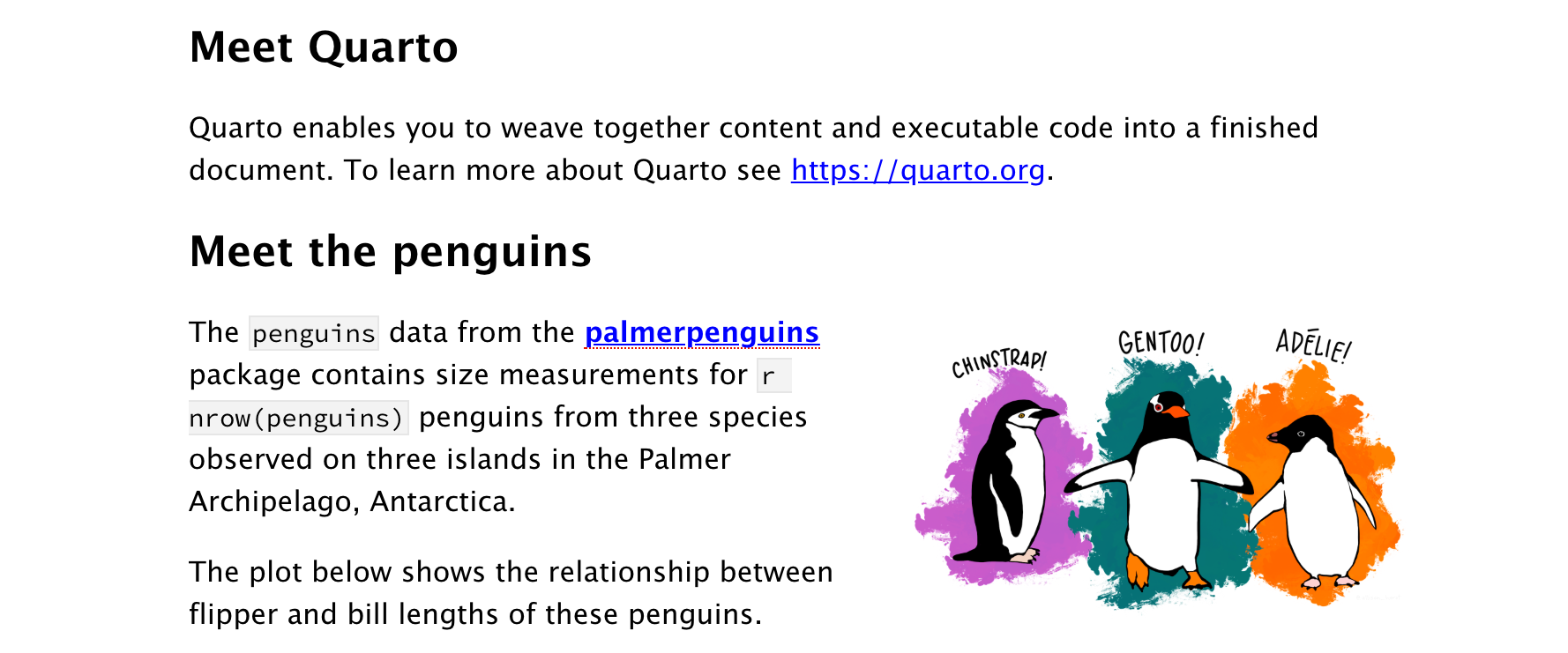
The rendering process in Quarto converts a .qmd file into a fully formatted document, such as a PDF or Word (.docx) file, by processing the Markdown content, executing embedded code chunks, and applying the specified output format settings. This process ensures that the final document integrates both text and computational results in a structured, visually appealing manner. Rendering can be performed using the Quarto command line (quarto render myfile.qmd) or through an IDE like RStudio, where users can select the desired output format.
To generate a PDF, Quarto relies on LaTeX, meaning you must have a LaTeX distribution (such as TeX Live, TinyTeX, or MiKTeX) installed on your system. When rendering a PDF, Quarto converts the Markdown content into LaTeX and then compiles it into a .pdf file. Users can customize the output using LaTeX templates and options such as pdf-engine: xelatex for additional font support. The YAML header might look like this:
For a Word document, Quarto generates a .docx file by converting the Markdown and code output into a Word-compatible format. Unlike PDFs, Word documents allow for easier post-rendering edits, making them ideal for collaborative reports. The rendering process ensures that tables, figures, and code output are correctly formatted, and users can apply custom Word templates by specifying a reference document (reference-doc). The YAML header for Word output might look like this:
During the rendering process, Quarto executes code chunks (if present), embeds their results in the document, and applies formatting rules based on the specified output format. Once completed, the final file is saved in the output directory, ready for distribution or further editing. This flexible rendering system allows users to produce high-quality documents tailored to their needs, whether for publication, collaboration, or presentation.
Activity 1
Download the CSV files below to begin the assignment. Recreate the example provided and configure a PDF or Word document to continue editing your report produced in Quarto to ensure it is of high quality for submission.
Activity 2
Now that you’ve understood how everything works produce an original report in Quarto based on your research and render the document as a Word or PDF for final submission.